
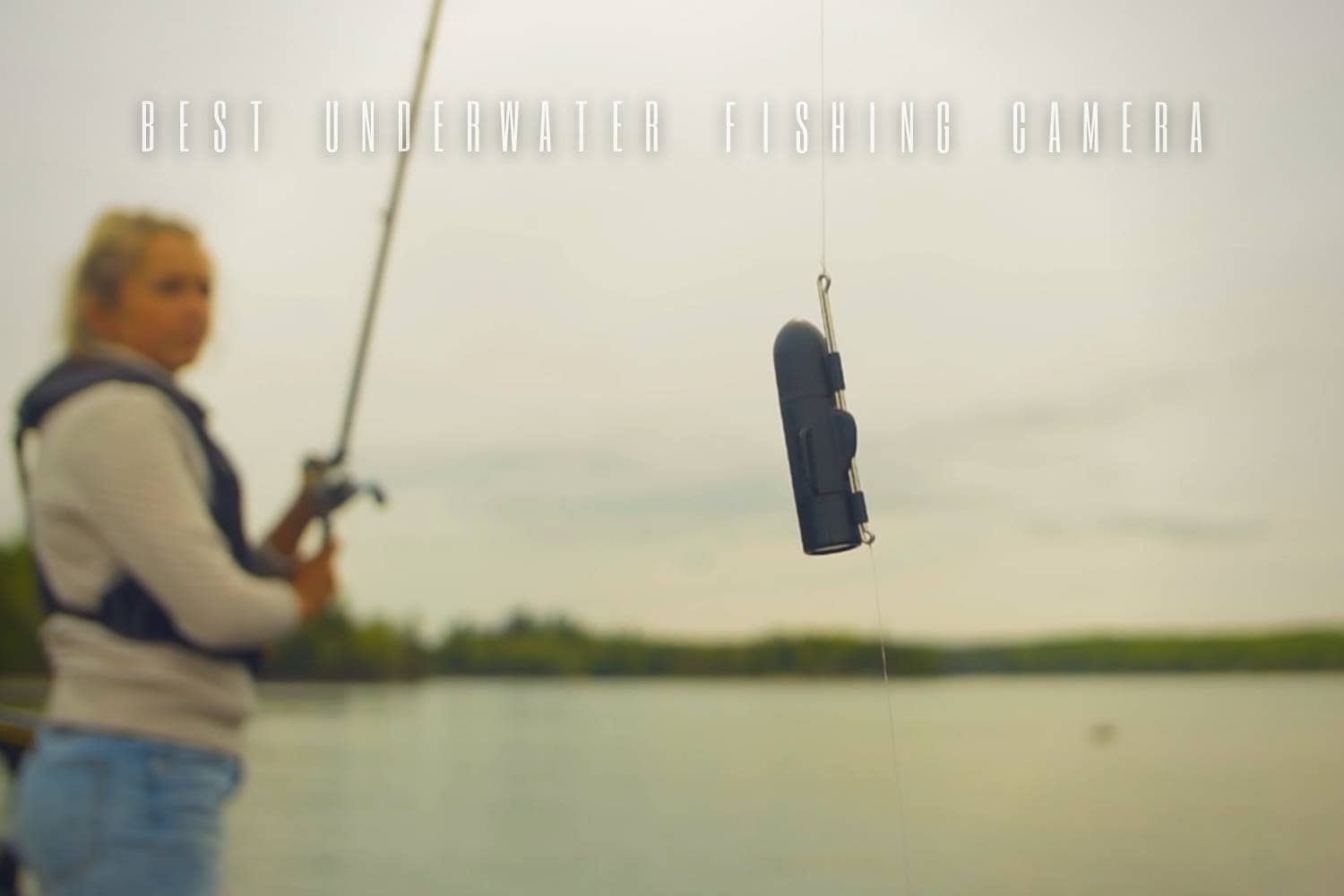
“Underwater fishing camera” describes several very different tools. A rugged handheld camera records catches and scenery. A cabled viewing system shows what is near the lens while you fish. An in-line camera records the view around a lure or bait. Choosing the wrong type can leave you with excellent footage of the wrong job.
The named cameras below are article-era examples. Their depth limits, recording formats, battery life, app links, and waterproofing apply only to those described generations. Use the examples to choose a format, then confirm the exact camera, housing, cable, memory, and operating instructions before it enters the water.
Choose the type before comparing specifications
Start with the result you want. If the goal is a photograph of a released fish or a short underwater clip, a compact rugged camera is easy to carry and quick to use. If the goal is to inspect structure, fish position, or bait response from a stationary spot, a cabled live-view system offers a monitor but adds a battery, cable, and case. If the goal is to record a strike from the line, an in-line camera changes the rig itself.
| Camera job | Typical strengths | Main trade-off |
|---|---|---|
| Handheld capture | Portable, useful above and below water, direct composition | Usually does not provide a live view at fishing depth. |
| Cabled live view | Immediate monitor image and deliberate depth placement | More equipment to carry, deploy, power, and keep untangled. |
| In-line recording | View close to the lure or bait and useful trolling footage | Adds an object to the line and may not transmit while submerged. |
| Dedicated diving capture | Controls and image handling designed for underwater use | Often less convenient for live fish-finding and casual carry. |
Image resolution is only one variable. A stable lens direction, suitable light, clear water, clean optics, and a repeatable deployment can improve useful footage more than chasing a headline format. Budget for the complete system: camera, protective parts, memory, charging, cable management, display, and transport.
Article-era camera examples in context
These named versions show the category split clearly. Their historical observations should not be transferred to later generations or similarly named bundles.
| Article-era model | Recorded role | Design lesson |
|---|---|---|
| GoPro HERO9 | A compact action camera used above and below water for high-resolution clips, slow motion, time lapse, and front- or rear-screen framing. | A small capture camera is easy to carry but is not the same as a submerged live-view system. |
| OLYMPUS Tough TG-6 Waterproof Camera | A rugged compact camera with close-focus modes and straightforward still or video capture. | A conventional camera layout can be better for deliberate photos than a fishing monitor. |
| SeaLife Underwater Camera | A diving-oriented camera with large controls and strong underwater emphasis; the described unit was less suited to macro work. | Control size, color handling, and intended subject distance matter underwater. |
| MarCum Underwater Fishing Camera VS485c | A cabled camera and monitor designed for live viewing rather than simple handheld recording. | Live view helps inspect one area but adds significant carrying weight and deployment hardware. |
| Anysun Underwater Fishing Camera | The described kit combined a cabled live view, monitor, lights, recording, and a carry case. | An all-in-one kit is convenient, but cable handling and battery mass remain part of every move. |
| LUCKY DVR Underwater Fishing Camera | This article-era system offered a compact monitor, recording card, cable, and low-light modes at a lower image resolution. | A modest display may be sufficient for structure and behavior even when it is not ideal for polished video. |
| GoFish Cam Underwater Fishing Camera | A streamlined in-line camera intended to record near the bait or during trolling, with viewing after retrieval or in an above-water arrangement. | A line-mounted camera solves a specialized recording job and should not be confused with continuous submerged live view. |
Water conditions, light, and camera placement
Useful viewing distance changes with clarity, suspended material, ambient light, depth, and lens direction. Built-in lights were a key feature of several article-era live-view systems, but illumination cannot turn every murky situation into a long-range view. Judge success by whether you can identify structure, bottom type, fish movement, or bait response at the distance that matters.
Lens direction is equally important. A camera hanging at an unknown angle can produce a bright but useless picture. Use only the mounting and orientation methods intended for the exact system. Lower the camera deliberately, keep it clear of the fishing line, and avoid dragging the lens into bottom debris. For an in-line camera, consider how the added body changes the rig and whether that fits the species, tackle, and technique.
Power, cable, and recording storage
A monitor system draws from a separate battery and has more connections to protect. A compact camera keeps the power package small but may offer less operating time. Recording format and resolution change how quickly memory fills. Prepare the batteries and storage for the length of the session, and verify that a short test clip can be played back before leaving.
Cables deserve their own plan. Feed and recover a cabled camera without twisting it around rods, anchor lines, or sharp edges. Use the reel, case, or organizer supplied for that generation rather than coiling it randomly. Inspect the cable jacket and connectors; a clear monitor cannot compensate for a damaged connection.
Care and a repeatable setup
Follow the exact instructions for doors, seals, housings, connectors, memory cards, and charging. Keep grit away from sealing surfaces. After use, clean and dry the system as directed before closing it into a case. Do not treat an article-era depth figure or waterproof label as permission for another housing, replacement door, damaged seal, or later model.
- Charge batteries and clear enough storage before the trip.
- Run a short above-water function check, then confirm the intended lens direction.
- Keep cable, monitor, battery, and camera organized as one system.
- Back up wanted footage before formatting or reusing the memory card.
A good choice begins with the footage or information you need. Select handheld capture for portability, cabled live view for deliberate underwater inspection, or an in-line camera for a specialized lure-side perspective. That category decision will narrow the field more effectively than comparing every camera by resolution alone.
